Disclosure: This review may contain affiliate links. As an Amazon Associate, I earn from qualifying purchases—at no extra cost to you.

The newest generation of Amazon’s large-format e-reader brings a significant upgrade to the lineup: a color display. The Amazon Kindle Scribe Colorsoft 64GB (newest model) is designed to merge the focus of a dedicated e-reader with the flexibility of a digital notebook. With an 11-inch paper-like color screen, a bundled pen, and AI-assisted note tools, this device targets readers, students, and professionals who want to consolidate their physical notebooks and printed documents into a single, distraction-free tool. This analysis breaks down the confirmed specifications, practical use cases, and key considerations for buyers evaluating this premium device in 2026.
📊 Quick Specifications Table
✨ Key Features
The confirmed feature set for this display centers on several core capabilities that distinguish it from earlier Kindle models and from general-purpose tablets.
- 11-inch Colorsoft Display: The custom-built display delivers high-contrast, paper-like color. It is designed to be easy on the eyes and avoids distracting flashes during writing, which is a common concern with traditional backlit screens.
- Integrated Front Light: The front light allows for comfortable reading and writing in various lighting conditions, including low-light environments, without the glare associated with standard tablets.
- Pen-On-Paper Feel: The textured surface and responsive display are engineered to create a smooth writing experience. The included pen requires no charging and features a built-in eraser plus a shortcut button for quick access to tools like the highlighter.
- AI-Powered Note Tools: The built-in notebook leverages AI to help users find information, ask questions about handwritten content, generate summaries, clean up handwriting, and convert handwritten notes to text.
- Document Review and Annotation: Users can import files from Google Drive or Microsoft OneDrive, add handwritten notes and markups, and export them as PDFs. Notebooks can also be sent to Microsoft OneNote for further editing.
- In-Book Note-Taking: While reading titles from the Kindle Store, users can jot notes directly on the page. The text shifts to make room for writing, and margins can be expanded or collapsed as needed.
- Purpose-Built Focus: Unlike a tablet, this device is purpose-built for reading and writing. The glare-free, paper-like display is designed to be easy on the eyes, even in bright sunlight, without the distraction of apps and notifications.
🎨 Design and Build Considerations
From a design perspective, the confirmed data highlights a device that prioritizes portability and a focused user experience. At just 5.4mm thin and 400g light, this display is positioned as a highly portable alternative to carrying physical notebooks and printed documents. The graphite color option gives it a professional, understated appearance that fits well in both academic and office settings.
The textured surface is a critical design element, as it is specifically mentioned as contributing to the pen-on-paper feel. This suggests a deliberate focus on the tactile experience of writing, which is a key differentiator from typing on a tablet or writing on a glass screen. The inclusion of a pen with a built-in eraser and shortcut button also points to a design philosophy that values efficiency and minimal interruption during the writing process.
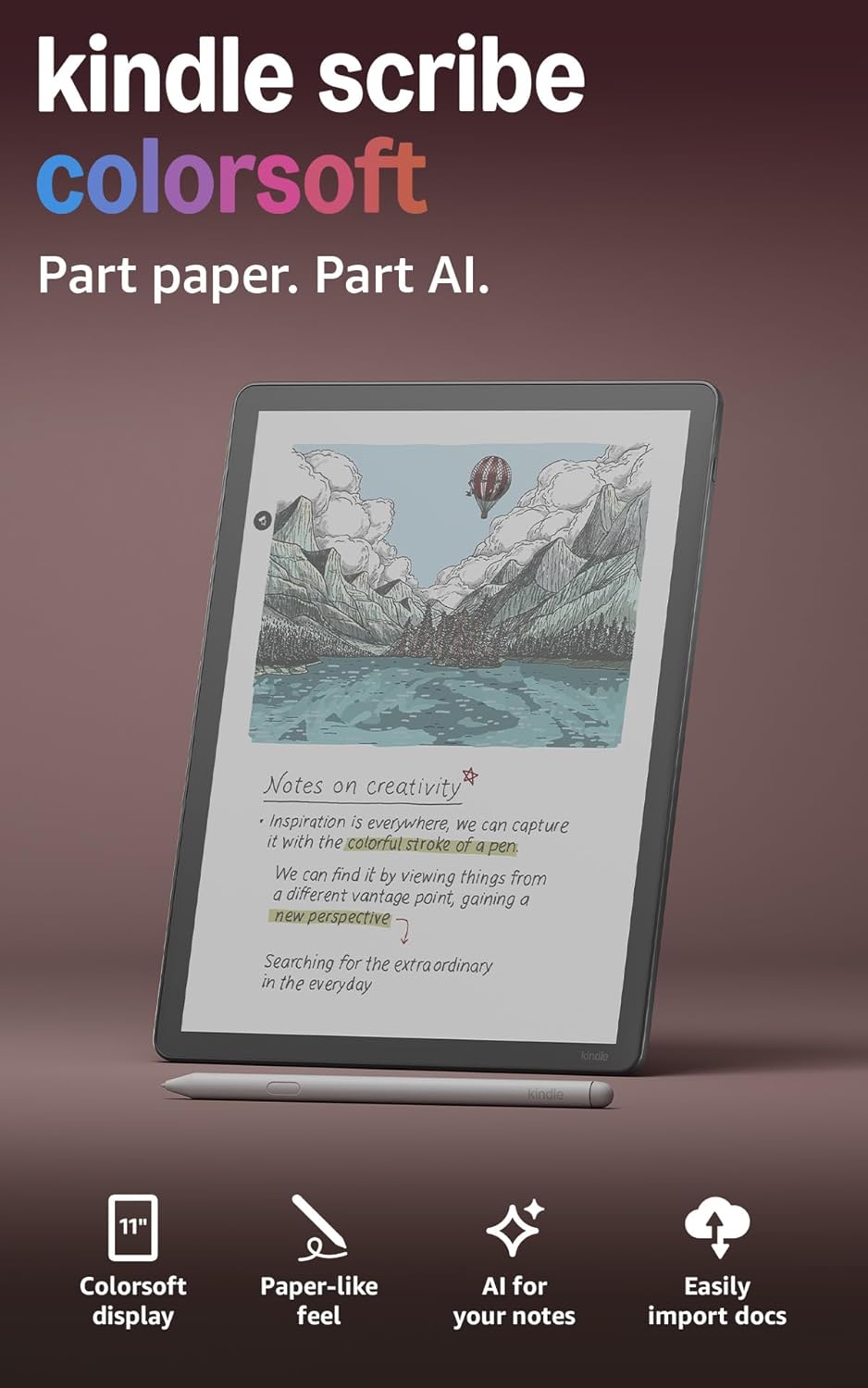
The 11-inch display size is notable. It provides ample space for comfortable reading and writing, making it suitable for reviewing full-page documents, taking detailed notes, or sketching out ideas. The thin and light profile means it can be easily slipped into a bag, potentially replacing multiple physical notebooks and printed reports.
⚡ Performance Expectations
Performance for a device like this should be evaluated in terms of its core functions: reading, writing, and document management. The confirmed “fluid performance” language suggests that the interface is designed to be responsive, which is essential for a natural writing experience. The display’s ability to avoid “distracting flashes when writing” is a key performance indicator for an e-ink device, as it directly impacts the comfort and usability of the note-taking feature.
The AI tools are a significant performance component. The ability to search handwritten notes, generate summaries, and convert handwriting to text represents a substantial leap in functionality for a Kindle device. The practical performance of these features will depend on the clarity of the user’s handwriting and the complexity of the AI algorithms, but the confirmed inclusion of these tools indicates a strong focus on productivity enhancement.
Battery life is another critical performance metric. The listing confirms “weeks of reading and writing on a single charge,” which is a hallmark of the e-ink category. This long battery life is a major advantage over tablets, which typically require daily or every-other-day charging. For users who travel frequently or prefer not to worry about charging cables, this is a significant practical benefit.
It is important to note that this device is not designed for high-performance computing tasks like video editing or gaming. Its performance is optimized for the specific tasks of reading, writing, and document annotation, and it should be evaluated on those terms.
⚖️ Pros and Cons
Pros
- Large Color Display: The 11-inch Colorsoft screen offers a paper-like color experience, enhancing reading and note-taking without the eye strain of a traditional tablet.
- Distraction-Free Environment: Purpose-built for reading and writing, it lacks the distracting apps and notifications of a general-purpose tablet.
- Comprehensive Note-Taking: The built-in notebook, combined with AI tools for summarization, searching, and handwriting conversion, makes it a powerful digital notebook.
- Integrated Cloud Support: Native support for Google Drive, Microsoft OneDrive, and Microsoft OneNote simplifies importing documents and exporting notes.
- Included Pen: The pen is included and never needs charging, with a built-in eraser and shortcut button for efficient tool access.
- Portable and Lightweight: At 400g and 5.4mm thin, it is easy to carry and can replace multiple physical notebooks.
- Long Battery Life: Weeks of use on a single charge eliminates the constant need for a charger.

Cons
- Premium Price Point: As the “most advanced Kindle Scribe,” it is positioned at the higher end of the e-reader market, which may not suit budget-conscious buyers.
- Limited App Ecosystem: Unlike a tablet, it does not offer access to a wide range of third-party apps, which is a trade-off for its focused design.
- AI Feature Dependence: The advanced note-taking features rely on AI, and their effectiveness may vary depending on handwriting quality and note complexity.
- Color Display Limitations: While the color display is a major upgrade, it is still an e-ink screen and may not offer the same vibrancy or refresh rates as an LCD or OLED tablet display.
🆚 Comparison with Similar Products
When considering this display, it is helpful to understand its position within the broader e-reader and digital notebook market. The primary comparison is between a standard e-reader, a premium digital notebook, and a general-purpose tablet.
Compared to a standard e-reader, this device offers significantly more functionality. Standard e-readers are primarily for reading books. This display adds a large, color screen, active writing capabilities, and AI-powered note tools, transforming it from a consumption device into a creation and productivity tool. The larger screen size also makes it more suitable for reading PDFs, magazines, and documents that are not well-suited to smaller e-reader displays.
Check latest price and availability on Amazon
Compared to a general-purpose tablet, this device offers a more focused and less distracting experience. Tablets are powerful but come with the constant pull of notifications, social media, and other apps. The e-ink display is also easier on the eyes for extended reading and writing sessions and offers significantly longer battery life. However, a tablet offers far more versatility in terms of software and apps. The choice here depends on whether the buyer prioritizes a distraction-free, paper-like experience or a multi-functional computing device.
Within the digital notebook category, this display stands out due to its integration with the Kindle ecosystem and its AI-powered features. The ability to read Kindle books and take notes directly on the page is a unique advantage. The AI tools for summarizing and searching handwritten notes are also a significant step forward compared to more basic digital notebooks that simply store handwritten pages as images.
🛒 Buying Guide
This device is best suited for individuals who regularly read, take notes, and review documents. The ideal buyer is likely someone who wants to consolidate their physical notebooks, printed articles, and reports into a single, portable, and searchable digital format.
Students could benefit from the ability to download lecture slides, annotate PDFs, and take handwritten notes that can be converted to text and summarized. Professionals might find it useful for reviewing contracts, marking up reports, and keeping meeting notes organized. Avid readers who like to jot down thoughts and ideas while reading will appreciate the ability to write directly on the page.
However, this device is not for everyone. Buyers who primarily need a tablet for web browsing, video streaming, and a wide range of apps would be better served by an iPad or Android tablet. Similarly, casual readers who only want to read books and do not need note-taking capabilities may find a standard Kindle or Kindle Paperwhite to be a more cost-effective option.
For those who fall into the target audience, the 64GB storage capacity is a key consideration. This large storage capacity is well-suited for users who plan to store a substantial library of books, documents, and notebooks on the device. It provides ample space for years of notes and a large collection of reading material.
✅ Key Things to Verify Before Buying
Before making a purchase decision, it is crucial to verify a few details on the official Amazon listing to ensure the device meets your specific needs.
- Exact AI Capabilities: While the listing confirms AI tools for summarizing and searching notes, the specific prompts and workflows are not detailed. Check the listing for any additional information on how these features work.
- Cloud Service Compatibility: The listing confirms support for Google Drive, Microsoft OneDrive, and Microsoft OneNote. Verify that these integrations work with your specific account types and file formats.
- Pen Functionality: The included pen has a built-in eraser and shortcut button. Confirm the specific functions of the shortcut button and whether additional pen models are compatible with the device.
- File Format Support: The listing mentions importing files and exporting as PDFs. Check the listing for a complete list of supported file formats for both import and export.
- Warranty and Support: Review the warranty information and Amazon’s return policy to understand the level of support provided with the device.
- Included Accessories: Confirm exactly what is included in the box. The listing confirms the pen is included, but verify if a charging cable, case, or other accessories are also included.
❓ Frequently Asked Questions
Can I use this device to read and annotate PDFs?
Yes. The confirmed features include the ability to import files from Google Drive or Microsoft OneDrive, add handwritten notes and markups, and export them as PDFs. This makes it suitable for reviewing and annotating documents.
Does the pen need to be charged?
No. The listing explicitly states that the included pen “never needs charging.” It also features a built-in eraser and a shortcut button for tools like the highlighter.
Can I convert my handwritten notes to text?
Yes. The AI tools included with the device allow you to “clean up handwriting or convert it to text.” This is a core feature of the note-taking system.
Is this device good for reading in bright sunlight?
Yes. The listing highlights that the glare-free, paper-like display is easy on the eyes, even in bright sunlight. This is a key advantage of e-ink technology.
How much storage does the 64GB model provide?
The 64GB model provides a substantial amount of storage for books, documents, and notebooks. This is the highest storage option confirmed for this device and is suitable for users with large libraries.
Can I send my notes to other applications?
Yes. The listing confirms that you can send notebooks to Microsoft OneNote to edit anywhere. You can also export annotated documents as PDFs.
🏁 Final Verdict
The Amazon Kindle Scribe Colorsoft 64GB represents a compelling evolution of the e-reader category. By combining a large, paper-like color display with a sophisticated note-taking system and AI-powered tools, it successfully bridges the gap between a reading
device and a digital notebook. The confirmed feature set—including the 11-inch Colorsoft display, the included pen, cloud service integration, and AI-driven note organization—positions this as a serious tool for students, professionals, and avid readers who want to consolidate their workflow into a single, distraction-free device.
The 64GB storage capacity ensures ample room for a growing library of books, annotated documents, and handwritten notebooks, while the long battery life and lightweight design make it a practical companion for travel and daily commutes. The absence of distracting apps and notifications is a deliberate design choice that reinforces its purpose as a focused reading and writing instrument.
However, this device is not a replacement for a full-featured tablet. Buyers who need access to a wide range of applications, video streaming, or web browsing will find the dedicated e-ink experience limiting. The premium positioning also means it carries a higher price tag than standard e-readers, so it is essential to evaluate whether the advanced note-taking and AI features justify the investment for your specific use case.
For those who prioritize deep reading, handwritten note-taking, and document review without the constant pull of notifications, this display offers a unique and well-executed solution. The integration with popular cloud services like Google Drive and Microsoft OneDrive adds practical value for users who already rely on these platforms. The AI tools for summarizing, searching, and converting handwriting represent a meaningful step forward in making digital notes truly useful and searchable.
Ultimately, the decision comes down to your workflow. If you are looking to replace physical notebooks, reduce paper clutter, and have a dedicated device for reading and writing that is easy on the eyes, this model is a strong contender. If you need a multi-purpose device for entertainment and productivity, a tablet may be a better fit. Before purchasing, verify the specific AI workflows, file format support, and included accessories on the Amazon listing to ensure the device aligns with your expectations. When evaluated on its own terms, this is a thoughtfully designed product that delivers on its promise of being a versatile notebook and reading companion for 2026.
Check latest price and availability on Amazon